
AI design tool demo
AI Object Replacement — Swap Any Feature in Your Design Photo Instantly
AI design tool demo · Object Replacement · AI-generated. Drag the slider to compare the original photo with the redesign.
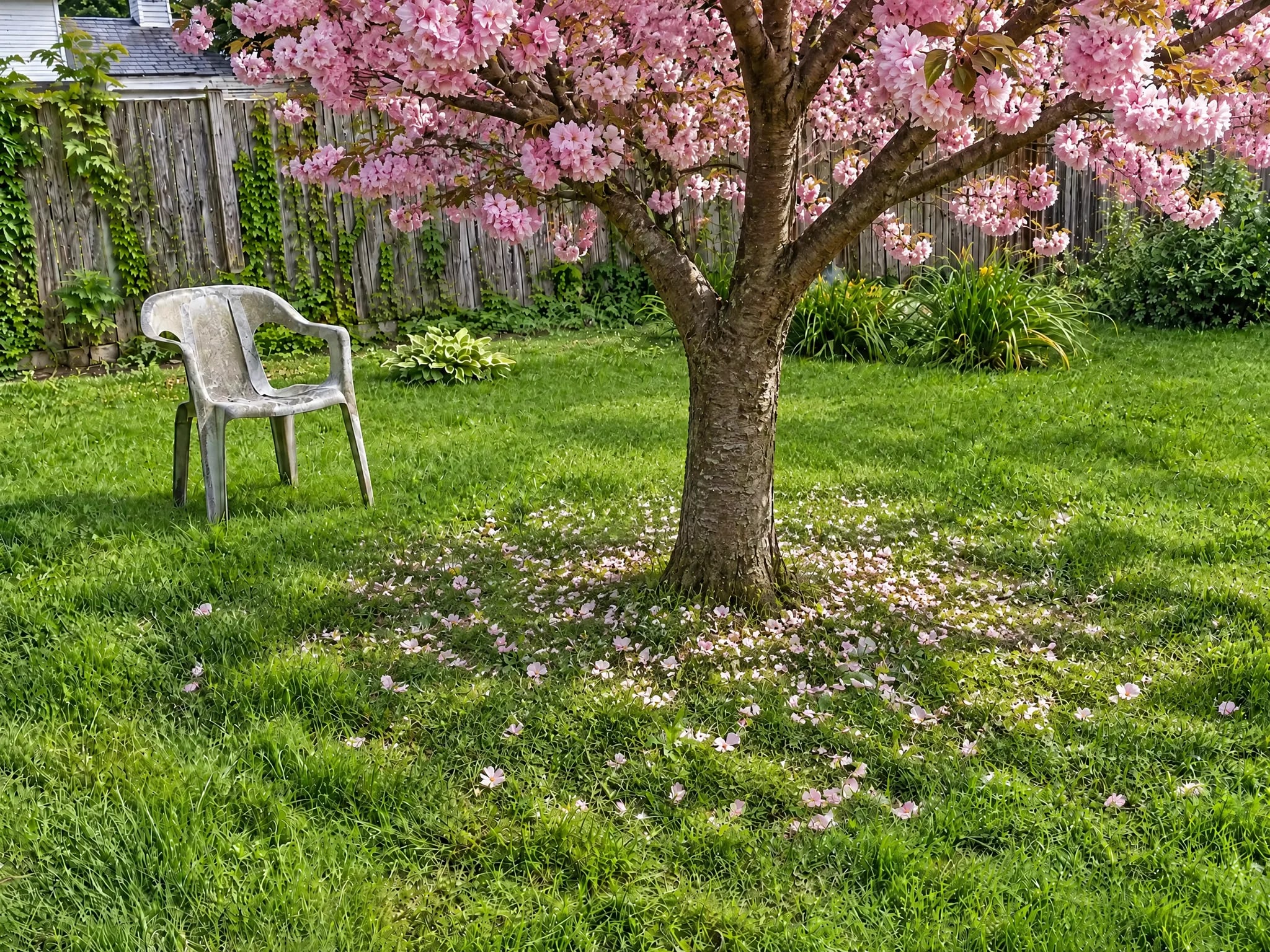
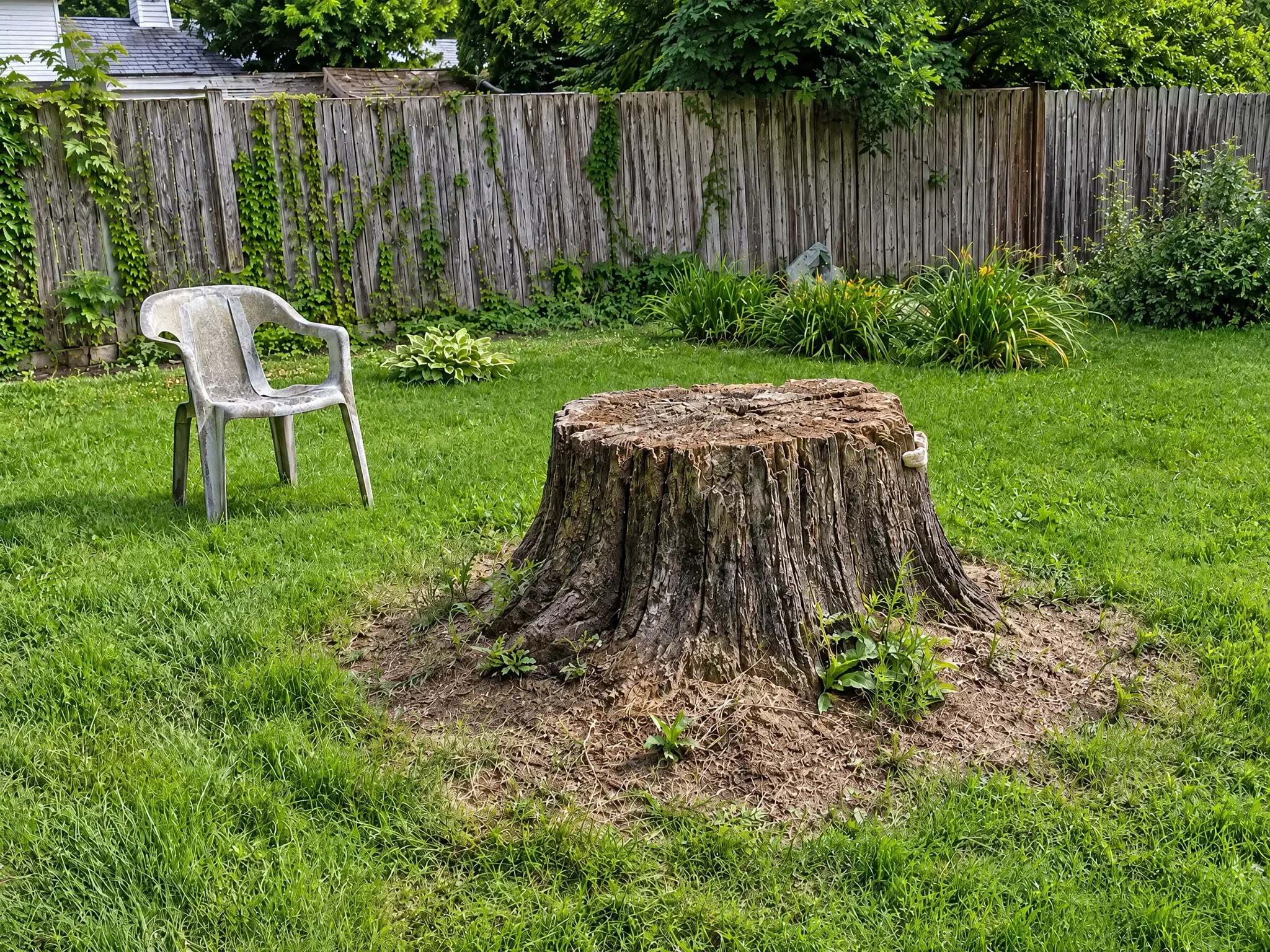
Backyard after AI replacement: a stump swapped for a blooming pink cherry tree, with ivy fence, hostas, lawn, and chair unchanged
What changed
Replace any element in your design photos with AI that matches lighting, shadows, and perspective — here a weathered tree stump in a backyard becomes a blooming pink cherry tree, while the ivy-covered wood fence, hostas, daylilies, lawn, and plastic chair stay untouched. Try the same swap for a chain-link fence, a dated light fixture, or an old sofa. Upload your photo and describe the swap to try it free at LandscapeCraft.ai
How to recreate this with your own photo
- 1Take a clear, level photo of your space in good daylight.
- 2Open Object Replacement and upload it.
- 3Add one or two instructions about what to keep or add, then generate.
- 4Compare with the slider and tweak one detail at a time until it feels right.
- Write the replacement like a product description: material, color and rough size.
- Say what goes and what comes: "replace the chain-link fence with a six-foot horizontal cedar fence".
- Change one feature per pass so you can compare options.
- Space
- Feature Replacement
- Style
- Object Replacement
- Made with
- Object Replacement
Your turn
Try this on your own photo
Upload a photo of your space and get a object replacement redesign in under a minute. Your first 2 designs are free, no sign-up needed.
More transformations
Last updated 2026-10-18